


Color Accuracy in Apparel Printing: Getting the Shade Right
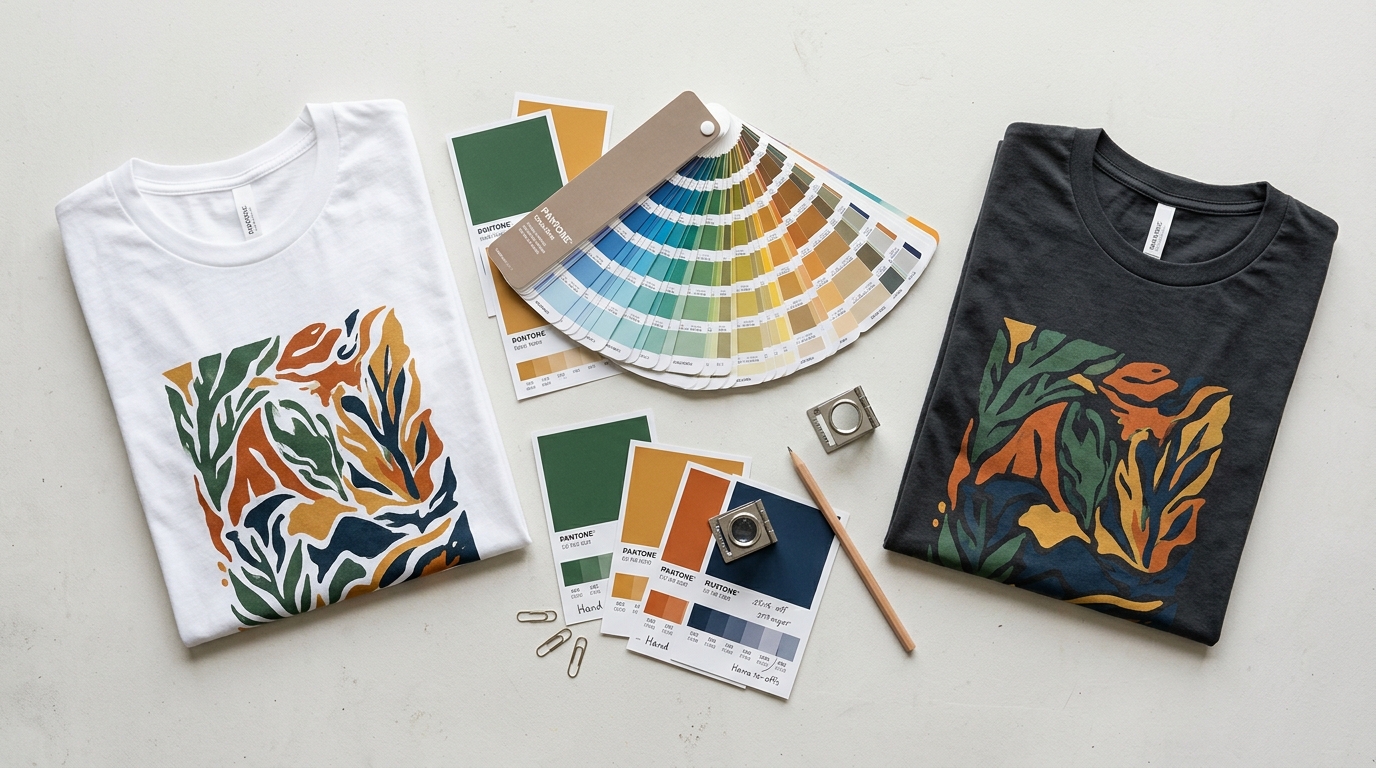
Colour is the part of apparel production that surprises brands most often. The mockup looked perfect, the sample seemed close, and then the full run arrived looking just different enough to matter.
The gap is rarely carelessness. It comes from a chain of conversions, starting with a colour on a glowing screen and ending with ink on fabric. Every step changes the shade a little. This guide explains where the shifts happen, how to control them, and how to approve a colour with confidence.
Why Colour Is the Hardest Thing to Control
A single colour passes through several systems before it reaches a garment.
It starts as a value in a design file, gets converted for the printer, mixed as ink or loaded as a cartridge, transferred onto fabric, and finally viewed under whatever light the customer happens to be in. Each stage introduces its own limitations. Colour management is the practice of keeping those deviations small and predictable.
Understanding that some variation is normal is the first step. The goal is not identical colour everywhere. The goal is a shade that matches your intent closely enough that nobody notices.
Pantone, CMYK, RGB, and Hex
These four systems exist for different purposes, and mixing them up causes most colour disputes.
Pantone is a standardised reference system for physical ink. When you give a printer a Pantone number, you give them a target that does not depend on a screen. This is why Pantone matching is the usual language of apparel production.
CMYK describes ink percentages for four-colour process printing. RGB is how screens create colour from light. Hex is simply a way of writing RGB values on the web. None of the three is a reliable instruction for what ink to use on fabric, although they are all fine for design work and mockups.
Practical rule: design in RGB, specify production in Pantone, and never assume the two will match automatically.
Why Your Screen Lies
Two people looking at the same file on different devices see genuinely different colours.
Screens vary in calibration, brightness, and colour temperature. Viewing angle matters, and so does the ambient light in the room. Night mode shifts everything warm. Even a well-calibrated monitor shows colour as emitted light, while a printed garment shows colour as reflected light.
That is why approving a colour from a digital mockup alone is risky. A mockup is a design tool, not a proof. Treat it as an indication of intent rather than a promise of output.
How Fabric Changes the Result
Ink interacts with the surface it lands on, and fabric is a demanding surface.
Light-coloured cotton reflects light back through the ink, which keeps colours bright. Dark garments absorb light, so the same ink reads duller and often needs a white underbase to hold its brightness. On a dark sweatshirt with a brushed fleece surface, the texture also scatters ink slightly, softening fine detail.
Fabric blend matters too. Cotton, polyester, and blends accept ink differently, and some dyes migrate over time. Our overview of T-shirt fabrics covers how weight and blend affect print results.
Ink Types and Their Colour Behaviour
Different decoration methods reproduce colour with different levels of fidelity.
Plastisol screen printing gives bold, opaque colour and holds a Pantone match well. Water-based inks feel softer but can appear slightly muted. Direct to garment printing handles gradients and photographic artwork with no setup cost, but colour can shift with fabric and pre-treatment. Transfers reproduce fine detail well but need careful heat settings.
Embroidered logos behave differently again, since thread colours come from a fixed chart rather than a mixing system. Our comparison of embroidery and printing explains where each method wins. For a deeper look at how the print methods differ on the same artwork, see our guide to choosing a printing method.
The Proofing Workflow
Colour accuracy is built through three checkpoints, and skipping any one of them moves the risk downstream.
The first is the digital mockup, used to confirm layout, proportion, and overall direction. The second is a strike-off or print sample, which shows how the ink behaves on your actual fabric. The third is the production sample, taken from the real run setup, which is the closest thing to a guarantee you will get.
Our guide to ordering samples walks through what to verify at each stage. Approve in writing, keep the approved sample on file, and require the printer to match against it rather than against the artwork file.
Judging Colour Correctly
How you assess colour matters as much as what you assess.
Compare samples under neutral daylight, ideally mid-morning, and never under warm indoor bulbs. Place the sample and the reference side by side rather than across the room, because adjacent comparison reveals differences that memory cannot. Judge after the ink has fully cured, since some inks shift slightly as they dry.
Look at the print at both normal reading distance and at arm's length. A shade that matches up close but reads differently from a metre away will still look wrong on a customer.
When to Accept a Small Variation
Absolute colour matching is not achievable across every method, fabric, and run.
Define a tolerance in advance and share it with your printer. For most apparel work, a close visual match in the same colour family is acceptable and invisible to customers. Reserve strict matching for brand-critical elements such as a logo colour that must reconcile with packaging, which is where private label details come into play.
Document Colour for Repeat Orders
The real test comes on the second order, months later.
Record the Pantone reference, the ink type, the fabric used, the printer, and the approved sample's location. Photograph the approved print in daylight and note the conditions. Without this record, a reorder becomes a fresh guess, and the second run may not match the first.
The Bottom Line
Specify in Pantone, proof on real fabric, judge in daylight, and document everything for the next run. That routine removes most colour disputes before they start.
Ready to see how consistent printing looks on a finished product? Browse our t-shirts collection.